Prerequisites:
- Must have HeavyJob
- HeavyJob must have HDM enabled and using it.
To Enable/Disable Production History:
View this article: How to Enable Production History.
View this article: How to Disable Production History.
To Use Production History:
- Click the desired activity that Production History will be used on in either the Estimate Entry Tree View, Single View or Spreadsheet View.
- Click the Production History Button in the right-hand menu.

What does it do?:
- Production History allows for the comparison of historical, true cost data from HeavyJob for cost codes that have the same historical activity code.
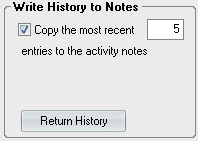
- The production information can be saved to activity notes.
- Production History results can be filtered down to desired ranges, number of entries, and quantity variances.

