| Resolution | Step 1: Disable Production History in Credentials
- Login to credentials.hcssapps.com as an Administrator.
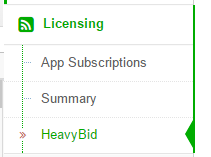
- Expand Licensing and click on HeavyBid.
- Un-check Allow access to HeavyJob data for Production History in HeavyBid.
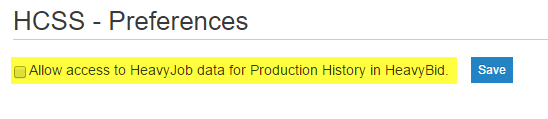
- Click Save.
Step 2: Disable Production History in HeavyBid
- In HeavyBid, go to Tools > Preferences > System.
- Click on Production History on the left side.
- Un-check Enable Production History in HeavyBid.
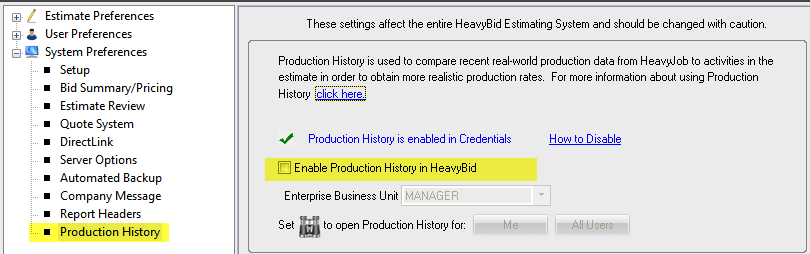
- Click OK.
- The
 button will automatically reset to Cost History for all users. button will automatically reset to Cost History for all users.
|
|
|---|

