Quick Start:
Note: Before audit review can be used, the Audit Trail for the estimate must be enabled and changes to the estimate must have been made since the feature was turned on. For information on enabling the Audit Trail, see: How to turn on the Audit Trail in HeavyBid.
- Navigate to Menu > Query > Audit.
- Review when the Audit Trail was enabled and the last review milestone from any tab.
- Click any tab to view information relative to the tab's title.
- Right-click on any line item and click Audit Details to view a more detailed breakdown of the selected item.
- Click Review Milestone to create a placeholder within the Audit Trail.
- Example: Create a milestone a few days before bid date to show all information up to the milestone is accurate and has been reviewed. This milestone will indicate that only changes beyond the milestone need to be reviewed.
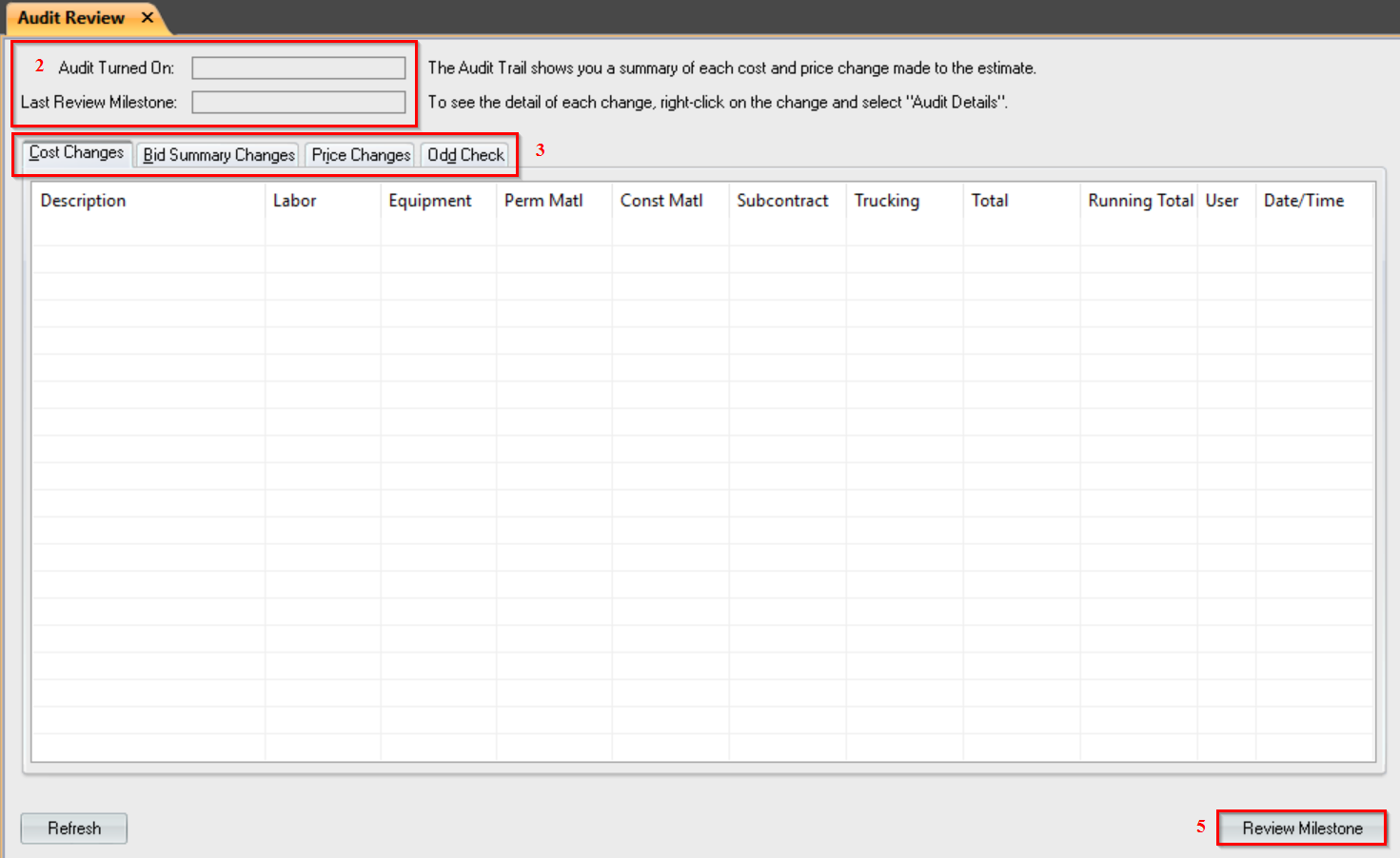
Cost Changes Tab:
View changes to cost across labor, equipment, permanent/construction materials, subcontractor, and misc. cost types, as well as a running total for cost changes, the user ID associated with each change, and the date/time each change was made.
Bid Summary Changes Tab:
View changes made by running bid summary, balanced bid total at the point of each change, as well as the user ID associated with each change, and the date/time each change was made.
Price Changes Tab:
View changes to pricing (unit price and totals), as well as a running total for price changes, the user ID associated with each change, and the date/time each change was made.
Odd Check Tab:
View miscellaneous items which fall outside normal usage, as well as the user ID associated with each change and the date/time each change was made.

