***
Note: When possible, communicate with users prior to executing the logout routine. This prevents the loss of work due to unsaved changes.
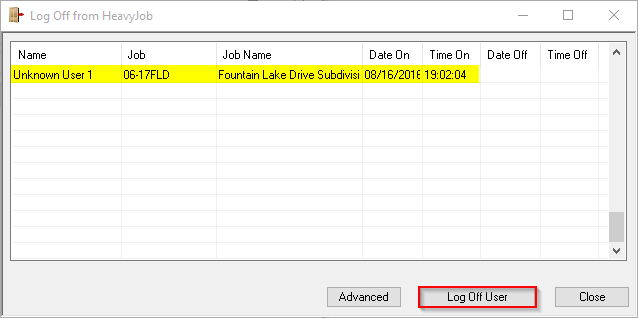
Using the Logout Utility
- Click START in Windows:
- Windows 8+: Type "Logout Manager"
- Windows 7: Start > All Programs > HeavyJob
- Select Logout Manager
- Highlight the desired user, then click Log Off User
From Inside HeavyJob
- Navigate to File > Users > User Administration.
- Select the desired user and click Log Out User in the lower left corner.
Note: This process only clears license usage for the user in HeavyJob Manager. If the user had HeavyJob files open on the file server when the logout process ran, those files must be closed out manually in order to perform a
System Reindex or
HeavyJob Update.
For Cloud Environments
- The Logout Manager is not available to search in the Windows Start menu in an HCSS Cloud environment. The logout function is accessed by creating a shortcut from the Bin folder. See the following article: Missing HeavyJob Logout Utility.

