| Resolution | Prerequisites:
HCSS Community:
- Browse to Community and log in using an existing account.
- Click My Software.
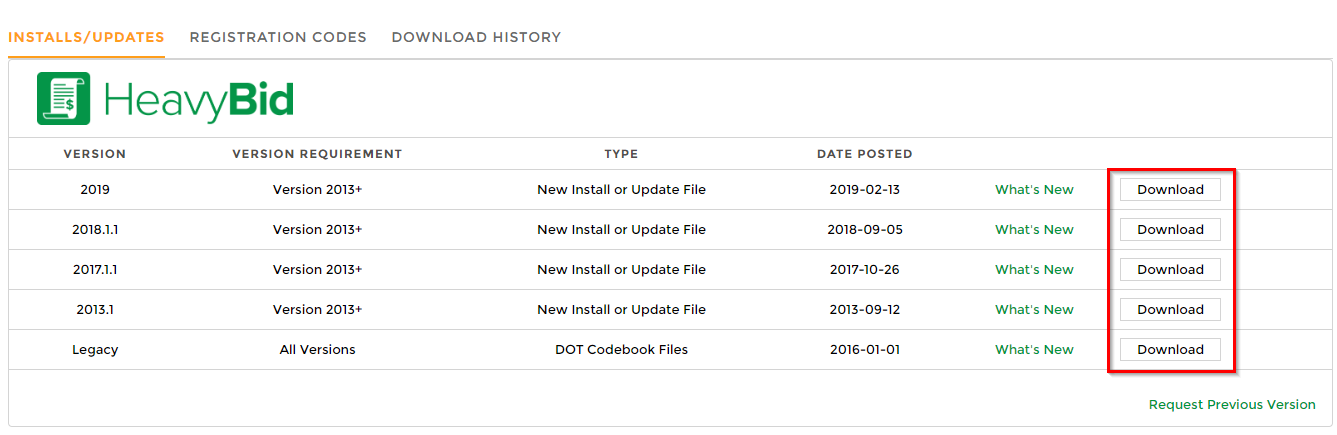
- Beneath Installs/Updates, click Download beside the desired product/version.
Notes:
- Downloads are listed by the latest version of the corresponding product in descending order.
- The Type column indicates whether the download is a New Install, Update, Enterprise, or SQL-specific file.
- For updates, the Version Requirement field indicates which version must be previously installed to run the respective update.
- If the desired version is not listed, click Request Previous Version to request the desired file from HCSS Support.
- Click Registration Codes to view the registration codes (needed for new installs).
- If the following message (shown below) appears when attempting to log into Community, please contact HCSS Support at 800-444-3196 or email support@hcss.com to rectify an issue with the account.
|
|
|---|

